This is a continuation of the RFID Hacking Project where we take it to the next level.
This time, I have decided to write a vCard to one of my RFID cards which is also my Amateur Radio License card that one of my friends gifted me for getting my Technician license. I will pretty much use the same toolkit as we did in the first part, except this time, I will use my RFID License card.
What am I trying to achieve?#
My friend gave me the RFID License and had it configured so that when you tap it to a phone that can read NFC, which is most phones these days, it redirects you to the FCC website with my information like my callsign, name, etc. And that is pretty cool.
So, I have decided to rewrite the data on the card and instead of having the phone redirected to a URL, I want it to read my contact information such as my name, phone number and personal website and give the user the option to save my contact information. That is what a Virtual Contact Card or vCard is. You can read more about it here: https://community.sinch.com/t5/SMS/What-is-a-vCard-and-how-do-they-work-nbsp/ta-p/9829
Toolkit#
For this we will use:
- Pentoo
- proxmark3 easy
- My RFID License Card.
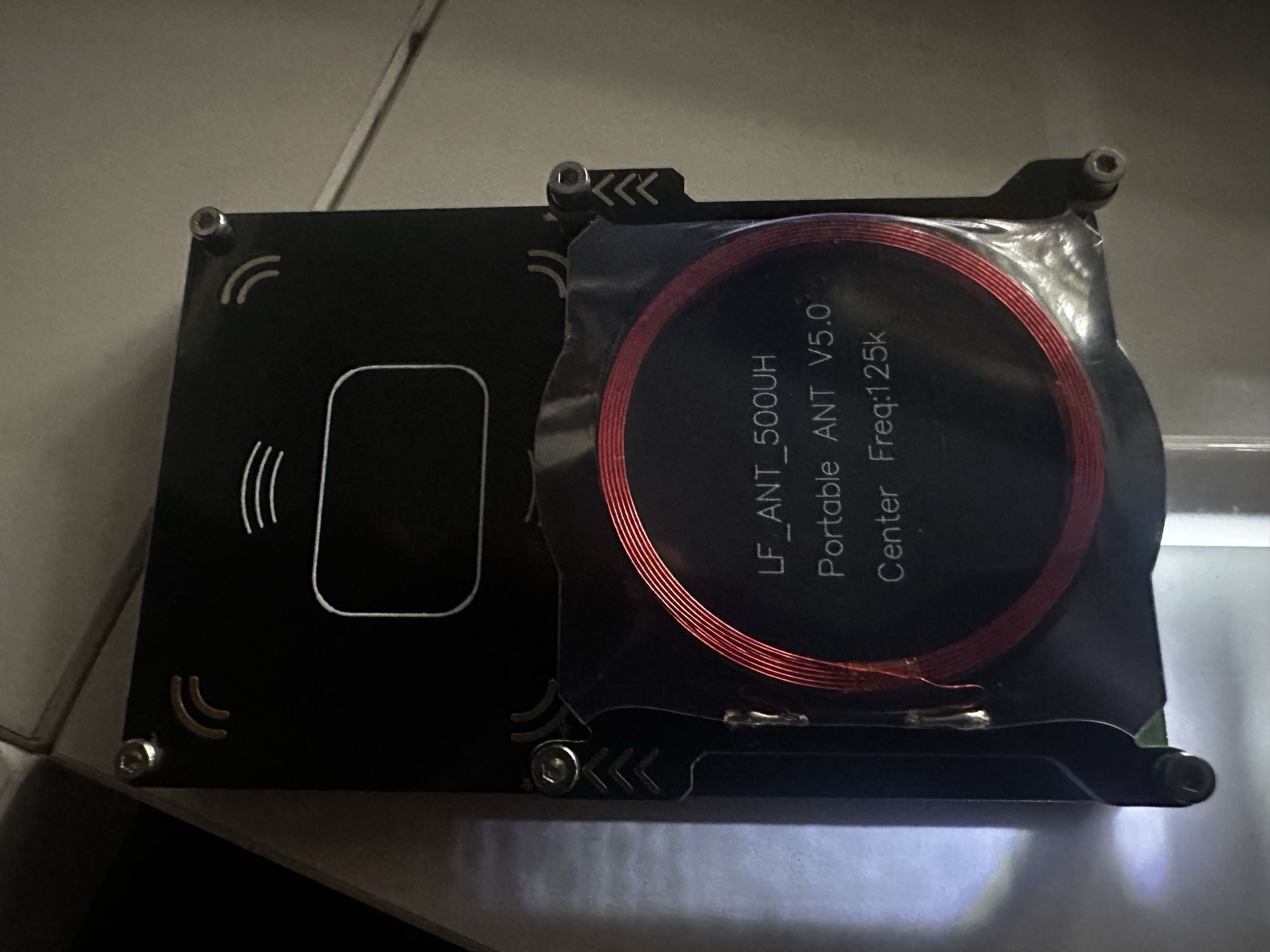
Reading the Card using Proxmark3#
First, reading the card:
auto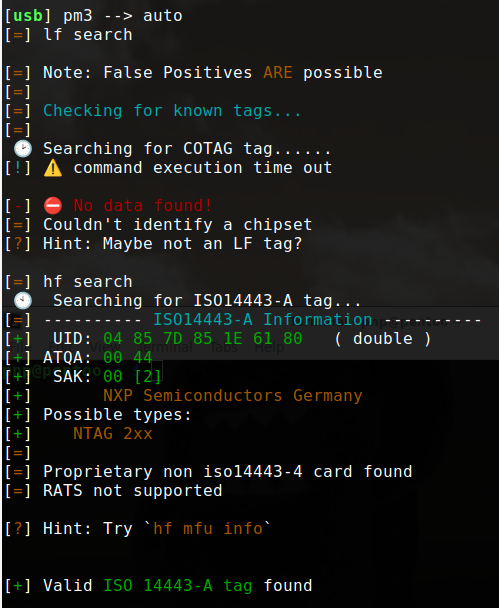
We can see the type and it’s an NTAG 2xx card. We can take it up a notch and run the hint command hf mfu info
hf mfu info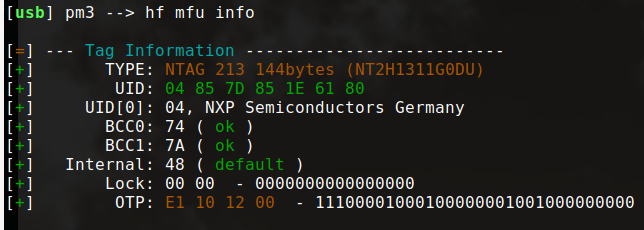
Now we can clearly see the type which is NTAG213, and there are 144 bytes available to Read/Write, which is 36 of the total pages we can use.
The card has 180 bytes of memory in total, which is 45 pages of data.
That is very useful to know considering we are about to write some data on the card. We need to know how much space we have, otherwise we might try to write something that is too long and may not fit on the card.
If we want to read the data on the current card, we can do it like this:
hf mfu ndefreadTo save/export the url or data that is on the card:
hf mfu ndefread -f myurl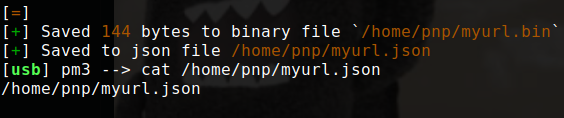
It will save the data from the card as .bin and .json files you can read later. The .bin file is reader friendly.
Writing to the Card#
Writing Manually#
To write the bits to the card, we can look at the NFC URI Prefix Mapping. For example: 04 = https:// | 05 = tel: | 06 = mailto:
If we want to write a url like https://proton.com onto the card, the full stream would be:
03 0F D1 01 0B 55 04 70 72 6F 74 6F 6E 2E 63 6F 6D FELet’s break it down a little bit.
03 0F D1 01 0B 55 | 04 70 72 6F 74 6F 6E 2E 63 6F 6D | FEThe first part: 03 0F D1 01 0B 55 is the TLV (Type-Length-Value) Wrapper.
03 is the outer envelope opener Type (T). It’s a way of saying “here comes an NDEF message.” It’s a fixed constant from the NFC Forum Type 2 Tag spec.
0F is the outer envelope length (Length): it says how many bytes the NDEF message is. Starting from D1 to 6D = 15 bytes = 0F in Hex.
D1 is the NDEF record header. It’s a packed byte of flags that tells the reader this is a single, complete, short, well-known-type record. This will remain constant when writing data that is under 255 bytes. If we go beyond 255 bytes, it will change to C1 instead. Our card has a size of 144 bytes we can use anyway, so it’s going to remain D1 :).
https://proton.com is 18 characters/bytes so we are good.
01 here is actually the Type Length, not the TNF. It tells the reader that the Type field coming right after the length bytes (55) is 1 byte long.
The TNF (Type Name Format), which is what actually distinguishes a Well-Known Record from a MIME Media Record, is packed into the low 3 bits of the D1 flags byte we covered earlier (D1 = 1101 0001 in binary, so TNF = 001 = Well-Known).
Our Type Length happens to be 01 because our type is a single character (U for URI). If we were writing a MIME Media Record with a type like text/plain, the Type Length would be 0A (10 characters), not 02.
For reference, here’s what each TNF value means:
  TNF Value    Record Type
  ---------    -----------------------------------------
  0x00         Empty Record
               Indicates no type, id, or payload is associated with this NDEF Record.
               This record type is useful on newly formatted cards since every NDEF tag
               must have at least one NDEF Record.

  0x01         Well-Known Record
               Indicates the type field uses the RTD type name format.  This type name is used
               to stored any record defined by a Record Type Definition (RTD), such as storing
               RTD Text, RTD URIs, etc., and is one of the mostly frequently used and useful
               record types.

  0x02         MIME Media Record
               Indicates the payload is an intermediate or final chunk of a chunked NDEF Record

  0x03         Absolute URI Record
               Indicates the type field contains a value that follows the absolute-URI BNF
               construct defined by RFC 3986

  0x04         External Record
               Indicates the type field contains a value that follows the RTD external
               name specification

  0x05         Unknown Record
               Indicates the payload type is unknown

  0x06         Unchanged Record
               Indicates the payload is an intermediate or final chunk of a chunked NDEF Record
0B is the payload length. The payload is https://proton.com. 0B is the Hex value for 11, so it’s a way of saying the payload is 11 bytes. 11 bytes because the payload is 04 70 72 6F 74 6F 6E 2E 63 6F 6D which translates to
https://proton.com.
https:// p  r  o  t  o  n  .  c  o  m
  04     70 72 6F 74 6F 6E 2E 63 6F 6D    =   11 bytes
I have already covered https:// being 04. For the rest of the payload,
70 72 6F 74 6F 6E 2E 63 6F 6D, it’s the Hex Value for each letter of proton.com.
55 is the type field itself: the actual content that 01 (TYPE_LENGTH) told the reader to expect. In our case, it’s U = URI Record. Capital U has the hex code 55 in ASCII.
FE at the very end is the Terminator TLV. It’s the last TLV block in the data area and marks the end of the TLV data, consisting of a single byte with the value 0xFE.
So, that’s the breakdown of the full stream if we want to write the URI: https://proton.com onto the card.
Now to write it on the card using proxmark3, we will write it per page, in blocks of 4. Remember, we have 45 pages in total with only 36 pages that we can write to.
We will divide the full stream 03 0F D1 01 0B 55 04 70 72 6F 74 6F 6E 2E 63 6F 6D FE into chunks of 4 bytes, and write it like this in proxmark3:
hf mfu wrbl -b 4 -d 030FD101
hf mfu wrbl -b 5 -d 0B550470
hf mfu wrbl -b 6 -d 726F746F
hf mfu wrbl -b 7 -d 6E2E636F
hf mfu wrbl -b 8 -d 6DFE0000
We can’t write to blocks 0-3 because they hold the UID/serial number, internal manufacturer data, lock bytes, and the capability container (CC), all of which are fixed or write-protected by the chip itself.
User memory starts at block 4, so that’s where our stream begins.
Now writing manually is fine for something like a URI, which is short and easy. But for something like a vCard, although it’s the same logic, it’s a bit longer, which means that if we were to do it manually, we could easily make a lot of mistakes.
So, I wrote a quick script to directly convert the data we want, so we can easily copy it to proxmark3 and write it to the card.
Writing Automatically using vcard2ndef.py#
vcard2ndef.py is on my GitHub if you want to check it out.
python vcard2ndef.py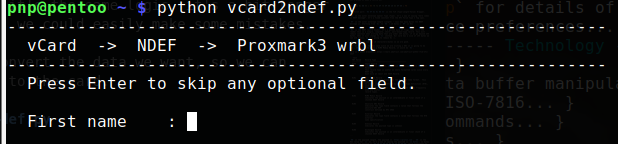
After filling it out, it gives you:
- A summary and breakdown
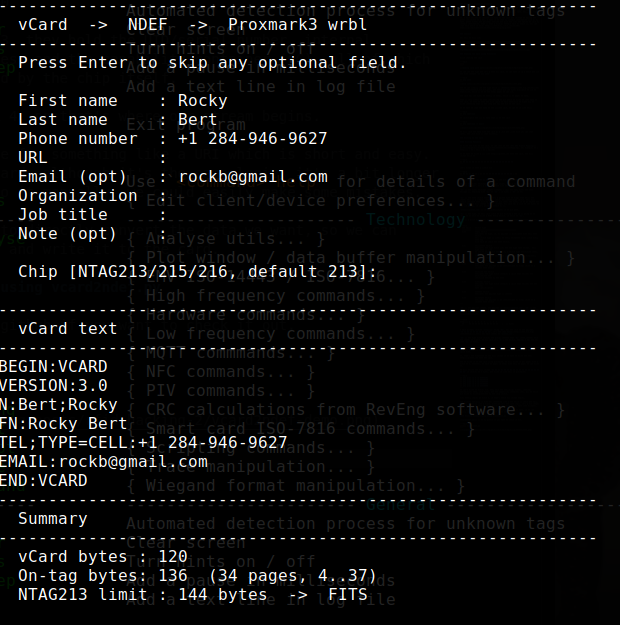
- The full stream

- The commands to write it to the card using proxmark3. You can copy the whole block and paste it in proxmark3.
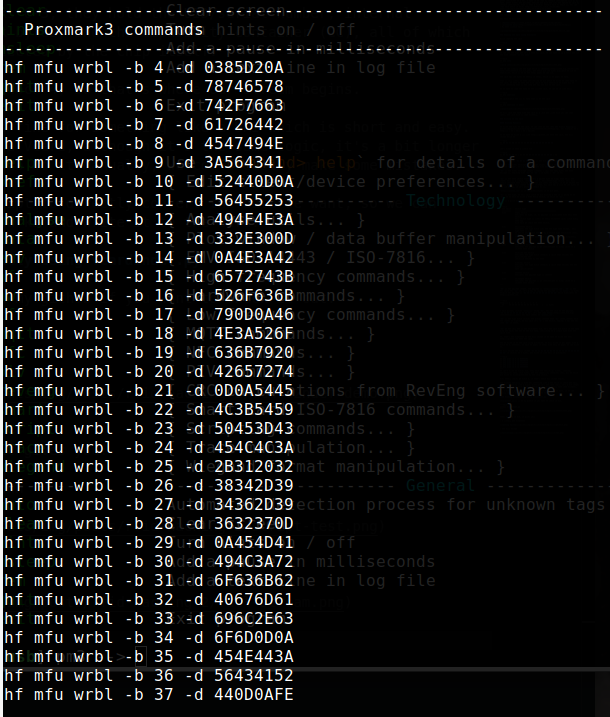
Voila, that should write it nicely to the card for us.
If we want to verify that everything is written as intended, we can run:
hf mfu ndefreadI will definitely upgrade the script in the near future. Right now it works just fine but there are a couple of quality of life upgrades I will make when I get a little bit of time. I will write a separate post about the script and the various upgrades when I do.